MCP servers, tool by tool
Add a remote HTTPS MCP server, discover its tools, and tick the ones the agent may call. Every other tool stays out of reach.

An extension profile bundles the MCP servers and skills an agent should have: your issue tracker, your internal docs, your team's review checklist. Pick a profile on New Task or an automation, and the run starts with exactly that set.
Add a remote HTTPS MCP server, discover its tools, and tick the ones the agent may call. Every other tool stays out of reach.
Import a skill from a GitHub repository or an archive. ProPR pins the exact commit and content digest, then mounts the skill read-only in the task container.
Every save creates a new revision. A queued run keeps the revision it was given, so an edit never changes work already in flight.
A server's bearer token is stored encrypted on your instance and never sent to the task container. The agent reaches each server through a per-run gateway that ProPR revokes when the run ends.
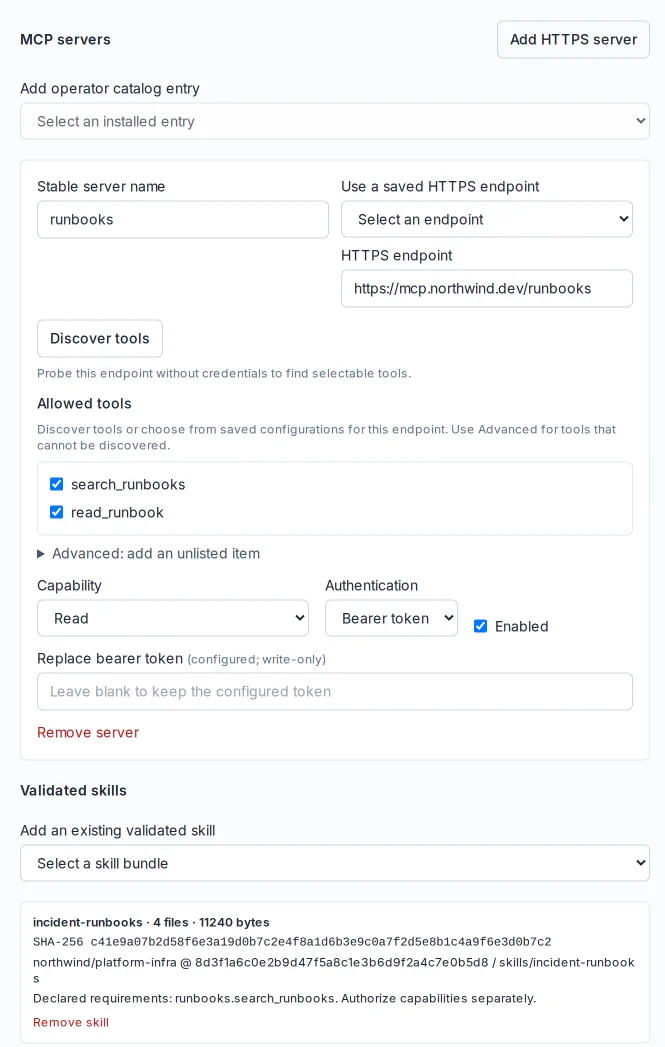
Mark a server read or write. Write servers stay out of every run until the run is authorized to write: New Task shows an unchecked opt-in, and automations follow their acting step's policy. Report runs never see them.
Instance administrators manage profiles in Settings → Agent Extensions & Packages. The agent extensions guide covers endpoint rules, the operator catalog, skill imports and backups. Agents run in the same isolated workspace as every other task.