Let red CI fix itself.

A failed check is a precise bug report. With automatic CI follow-up on, ProPR posts the failure on the pull request and an agent pushes the fix to the same branch. You come back to green checks and one more commit to review.

Describe
Run isolated
Review in GitHub

Feature overview

You start with
A repository whose CI failures are real signals
You use
Auto CI follow-up · PR comments
Takes
No action from you; on #2628 the fix landed under four minutes after the failure
Real run
propr #2628

Turn it on for the repository

Automatic CI follow-up is off by default and set per repository. Turn it on where a red check means a real defect; flaky checks would only feed the agent busywork.

Slow or flaky checks that should never start a fix go under Checks that never block automation. See the follow-up docs for both settings.
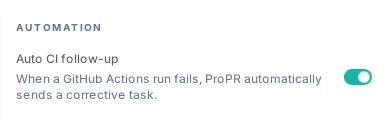
Auto CI follow-up switched on for storefront-web: when a GitHub Actions run fails, ProPR sends a corrective task

A check fails

When a check run or commit status fails on the pull request's latest commit, ProPR posts one comment: the check, the result, the commit, a link to the run, and the failure evidence from the check's annotations or output.

The comment starts the fix

ProPR treats its own failure comment as a follow-up request; no label or trigger keyword needed. The agent reads the failure with the PR's context in an isolated workspace, ProPR pushes the fix to the same branch, and the completion comment explains what changed.

The guards keep it from looping

ProPR reports each failing check once per commit, and only on the PR's current head; a superseded commit or a closed PR starts nothing. The fix commit runs your checks again, and a new failure on it gets one new follow-up. Ultrafix pauses on red and resumes once the checks pass.

No automation? Paste the failure

With the setting off, copy the failing output into a PR comment. The fix lands the same way, as a follow-up commit.

@maintainercommented on this pull request

The lint check fails: src/checkout/summary.ts exceeds the 400-line max-lines limit. Split the formatting helpers out without changing behavior.

A real red check, fixed.

On public propr #2628, the Validate Changes check failed on a lint rule. ProPR posted the failure at 13:05 UTC; GPT-6 Astra brought VibeAgent.ts under the 400-line limit, and ProPR pushed fix commit 9296e95 at 13:08.

Red check to green commit.Public propr #2628, shortened to the relevant parts: the failing check on 73029d8, ProPR's failure comment, GPT-6 Astra's fix commit 9296e95, and GitHub's check list for it.
Public ProPR pull request 2628 on GitHub: a propr-dev comment CI failed: Validate Changes, Please investigate and fix this CI failure, with the check, result failure, commit 73029d8e7de2, a View CI failure link and the failure evidence; then the propr-dev reply Applied the requested follow-up changes in commit 9296e95 with its Summary of Changes, fixing the lint failure by consolidating duplicated logging in VibeAgent.ts below the 400-line limit; then the 9296e95 commit row with a passing check.
Public propr #2628, shortened to the relevant parts: the CI log comment between the two and the run details are left out.

What you get

Red checks on your pull requests turn into fix commits on the same branch, each explained in a comment, while you review only what needs a human.

How ProPR handles CI → All playbooks